


Ask your AI assistant about the SentX market
Add SentX to Claude or ChatGPT with a sign-in, or to Cursor and VS Code with a free key, then ask about floors, listings, sales and wallets in plain language.
Content reviewed on

https://mcp.sentx.io/mcp. It puts live SentX market data inside the AI assistants people already use: Claude, ChatGPT, Claude Code, Cursor, VS Code, and agents built on the OpenAI or Anthropic APIs.
What you can ask
What is the top collection today on SentX? What sold on SentX in the last hour?
What is the floor price of this collection right now? Find the cheapest listing with a gold background. Which NFTs does this wallet hold? What sold in this collection in the last 24 hours, and for how much? Are there open offers on serial 42, and how far below the asking price are they? How much did the whole market trade in the last 24 hours? What does it cost to generate a video with DreamForge?
The tools
Find a collection by name. Turns a name into the collection's Hedera token ID, which the other tools use. Search collections. The top 25 collections by trading volume over a period you choose, with floor, sales and owner counts. Floor price. The lowest current listing price in a collection, or among NFTs with one trait or a combination of traits. Floor price per trait. The values of each trait in a collection, with how many NFTs carry each, how many are listed, its floor and its best offer. Listings. NFTs for sale now, filtered by collection, seller or trait and sorted by price, date or serial. Offers. Buy offers on NFTs in a collection, on a single NFT or involving a wallet, shown next to the seller's asking price. Sales activity. Recent sales, new listings and price changes for one collection or the whole market. One NFT's details. Image, traits, rarity rank and current price for one serial, or a page of a collection. A wallet's holdings. The NFTs a Hedera account holds, read from the public ledger. The whole market today. Sales volume and number of sales for the last 24 hours, with the change against the day before. One collection's facts. Floor, sales volume, owners and supply for any collection SentX tracks, not only the top 25. Event history. Listings, price changes, sales and delistings for a collection or a single NFT, or only what changed since a time you name. AI model prices. Every DreamForge image, video, music and 3D model with its price in US dollars. About SentX. Marketplace fees, supported wallets and links to the guides, for questions about SentX itself.
resolve_collection, search_collections, get_floor, get_trait_floors, get_listings, get_offers, get_activity, get_nft, get_wallet_holdings, get_market_summary, get_collection_facts, get_market_events, get_ai_models and get_platform_info.
Use SentX in Claude or ChatGPT
https://mcp.sentx.io/mcp, then ask about the market in plain words. You need no key and no account.
claude.ai and Claude Desktop
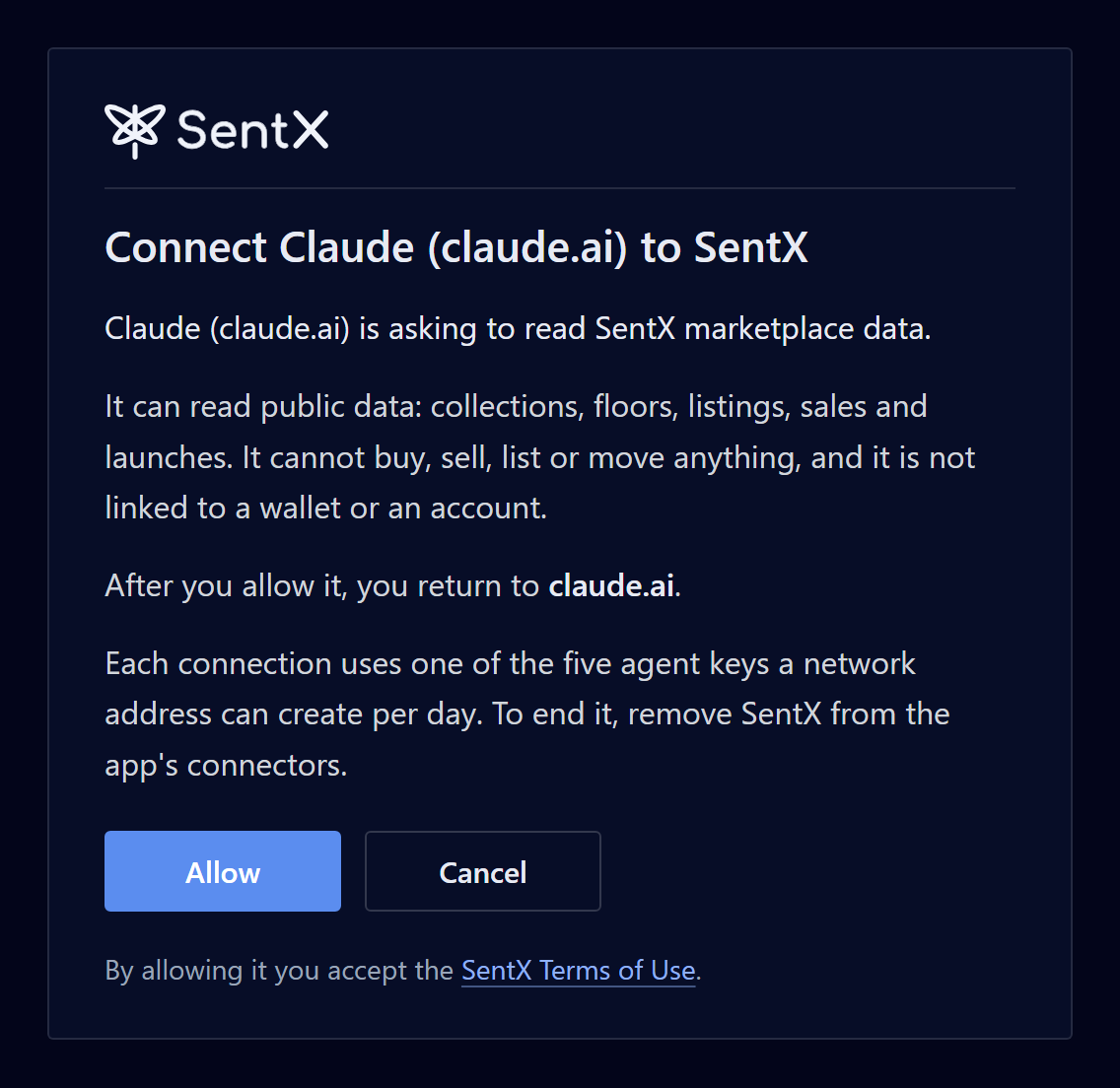
Open Settings, then Connectors, and choose Add custom connector. Paste the address, set sign-in to Sign in when needed and add it. The first time you ask about SentX, Claude shows a Connect button that opens a SentX page. Choose Allow.
ChatGPT
Claude Code
/mcp, pick sentx and sign in.
claude mcp add --transport http sentx https://mcp.sentx.io/mcp--header "x-api-key: sxagent-..." to the command.
Connect with an agent key
x-api-key header.
Step 1: Create a read-only agent key
sxagent- and is shown only once, so store it straight away. A key made in Settings stays linked to your wallet, which is how you can see and revoke it later.
Step 2: Add SentX to your client
https://mcp.sentx.io/mcp and a request header named x-api-key that holds your key. Cursor, VS Code and the OpenAI and Anthropic APIs each take the address and key in their own settings. The SentX API page has the exact setup for each client.
Safety
It only reads. It cannot buy, sell, list, transfer or sign, so an agent can research the whole market without spending a tinybar. It never connects to your wallet and cannot see your private account data. Wallet holdings come from the public Hedera ledger, which anyone can read. You can revoke a key in Settings at any time, and end a sign-in connection by removing SentX from the app's connectors. Rate limits keep agent traffic from slowing the marketplace for everyone else. Every answer says when the data was read and the most its figures can lag, so your assistant can tell you when a price may already have moved.
Not available yet
Buying, selling or listing through an agent. Your private account data.
Common questions
Does it cost anything?
Do I need a wallet?
How current are the answers?
Which assistants can connect?
x-api-key header.